


PC-DIDI Living Website Mascot
Diamond Intelligence Edition
Transform your Joomla website into an interactive visitor experience with a living digital mascot, intelligent website search, voice interaction and optional artificial intelligence.
Living Mascot
Choose from premium characters with floating, bouncing, pulsing and other animated effects.
Website Intelligence
Discover information from Joomla articles, menu items, SP Page Builder pages and indexed public website content.
Voice Interaction
Visitors can ask spoken questions using supported browsers and listen to spoken answers.
Optional Artificial Intelligence
Connect your own OpenAI API account or operate the assistant using local website search without OpenAI API costs.
Installation
PC-DIDI Living Website Mascot is distributed as a Joomla installation package containing the frontend module and its supporting AJAX plugin.
- Log in to your Joomla administrator dashboard.
- Navigate to System → Install → Extensions.
- Upload the Diamond Edition ZIP installation package.
- Navigate to Content → Site Modules and create or open the PC-DIDI Living Website Mascot module.
- Select an active template module position, configure the mascot and set the module status to Published.
- Open Menu Assignment and select the pages on which the mascot should appear.
- Verify that the supporting AJAX plugin is enabled. Save the module and visit your website.
Standalone installation
No previous version of PC-DIDI Living Website Mascot is required. SP Page Builder is optional.
Premium Character Collection
Select one of eleven integrated premium WebP characters, choose a classic SVG mascot or upload your own image. The Royal Collection uses transparent character graphics designed for elegant website integration.
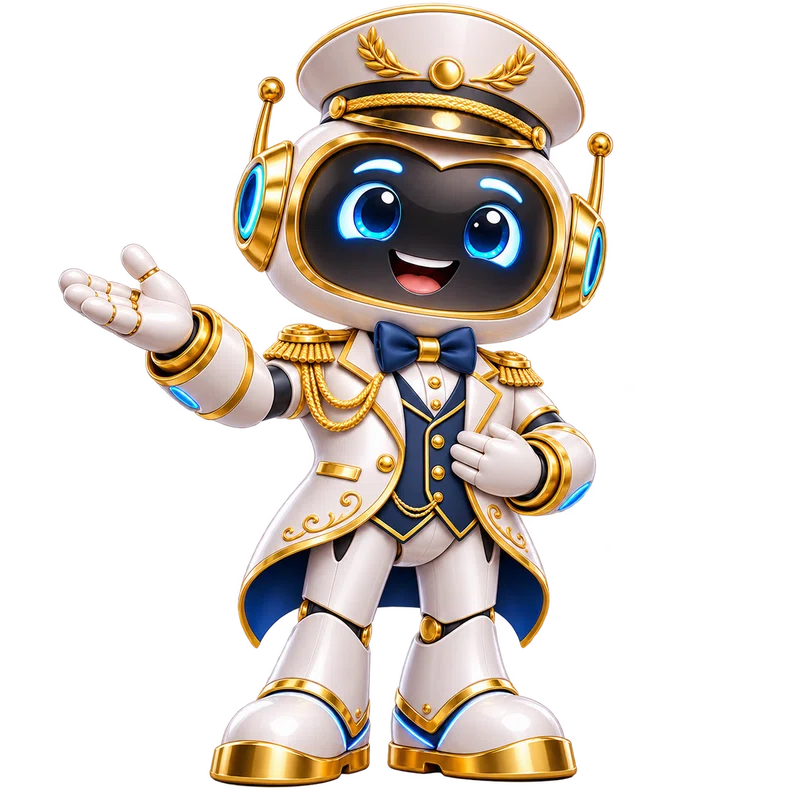 Royal Robot
Business & Technology
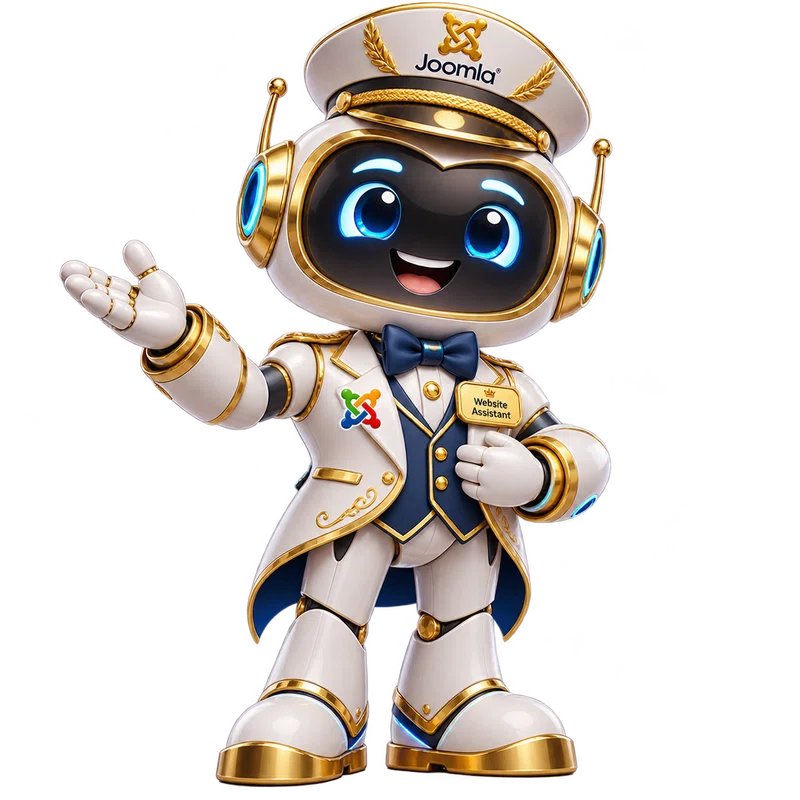 Premium Robot
Digital Concierge
 Emerald Dragon
Fantasy & Marketing
 Alpine Fox
Hotels & Tourism
 Royal Owl
Knowledge & Education
 Royal Penguin
Hospitality & Winter
 Luxury Santa
Christmas Campaigns
 Alpine Ibex
Mountain Resorts
 Royal Lion
Premium Brands
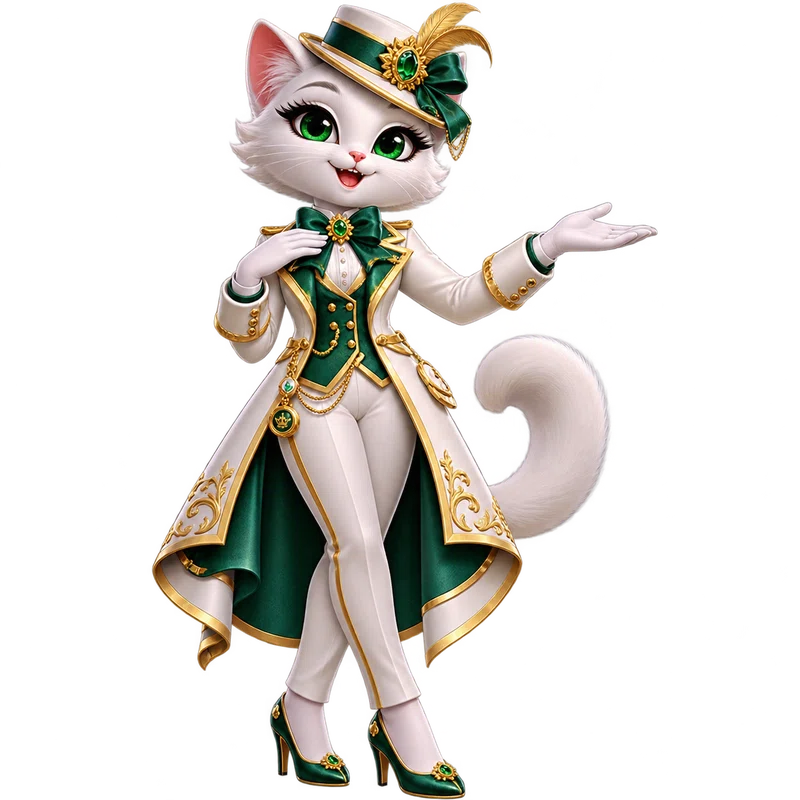 Emerald Cat
Beauty & Lifestyle
 Alpine Husky
Adventure & Travel
Custom Character
Select Custom Character in the module settings and choose an image using the Joomla Media Manager or enter an image URL. Transparent PNG and WebP images are recommended.
Premium characters are rendered graphics animated through website effects, not real-time articulated 3D models. Classic SVG characters provide individual eye-tracking functionality.
Appearance and Animation
| Animation | Description |
|---|---|
| Float | Gentle floating movement. |
| Bounce | Playful bouncing animation. |
| Sway | Soft side-to-side movement. |
| Pulse | Subtle animated scaling. |
| None | Static character presentation. |
Five Integrated Design Themes
Luxury Gold
Elegant gold accents for premium websites.
Glass
Modern glass-inspired presentation.
Light
Clean and minimal styling.
Forest
Nature-inspired green accents.
Neon
Futuristic digital styling.
Use the Accent Color setting to coordinate the mascot with your corporate identity. Eye tracking and animated particles can be enabled or disabled.
Position, Size and Footer Distance
Configure the mascot independently for desktop, tablet and smartphone displays.
| Setting | Default | Function |
|---|---|---|
| Position | Right | Left or right side of the screen. |
| Desktop size | 150 px | Character size on desktop computers. |
| Tablet size | 120 px | Character size on tablets. |
| Mobile size | 90 px | Character size on smartphones. |
| Desktop bottom distance | 22 px | Distance from the bottom of the viewport. |
| Mobile bottom distance | 75 px | Separate mobile bottom offset. |
| Side distance | 18 px | Horizontal screen-edge distance. |
| Bubble width | 320 px | Width of the message panel. |
| Chat height | 540 px | Configured chat panel height. |
| Show on mobile | Yes | Enable or disable mobile presentation. |
Fixed Mobile Footer Compatibility
If your website uses a fixed mobile navigation bar, increase the mobile bottom distance so the character appears above it. For a 70 px footer, a starting value of 85–100 px is recommended.
The offset is measured from the bottom of the screen, not automatically from the top of the website footer.
Three Intelligence Modes
Local Intelligence
Searches configured website sources and custom questions and answers without using the OpenAI API.
No OpenAI API key required.OpenAI Intelligence
Uses relevant website information as context for naturally formulated AI-generated answers.
OpenAI API key required.Hybrid Intelligence
Combines local website knowledge and optional artificial intelligence for a flexible assistant experience.
API usage depends on configuration.| Feature | Local | OpenAI | Hybrid |
|---|---|---|---|
| Website search | Yes | Yes | Yes |
| Custom FAQ | Yes | Yes | Yes |
| Voice output | Yes | Yes | Yes |
| Microphone input | Yes | Yes | Yes |
| Source links | Yes | Yes | Yes |
| Free-form AI answers | No | Yes | Optional |
| OpenAI API costs | No | Yes | Possible |
The legacy configuration mode is also available for compatibility with existing module settings.
Local Intelligence uses website search and predefined
knowledge. It is not a local generative language model
and cannot automatically translate or reason about
content like a full AI service.
Website Knowledge Center
The integrated website index provides access to public website content beyond standard Joomla articles. Manage the indexing process directly in the module's knowledge settings.
Website Knowledge Center
Manage your website knowledge, rebuild the index, monitor the current status and control the indexing process without requiring visitor interactions.
Rebuild Index
Continue
Stop
Status
Illustrative interface preview
Building Your Website Index
- Open the module configuration and navigate to the Website Knowledge settings.
- Enable Public website index.
- Set the maximum number of pages appropriate for your website.
- Optionally enter your website's XML sitemap URL.
- Add URL path fragments that should be excluded.
- Save the module and use the Knowledge Center to rebuild and monitor the index.
| Index Setting | Recommended Configuration |
|---|---|
| Public website index | Yes |
| Maximum indexed pages | 150 for smaller websites; increase as required. |
| Index refresh | 24 hours |
| XML sitemap URL | Your public, same-website XML sitemap. |
| Exclude URL path fragments | Unwanted or irrelevant public URL paths. |
| Incremental indexing | Enable if indexing should continue on visitor requests. |
XML Sitemap Example
https://www.example.com/sitemap.xml
The crawler supports XML sitemap discovery. A compatible public XML sitemap generated by JSitemap or another Joomla sitemap extension can also be used.
Exclude URL Examples
/login
/register
/cart
/checkout
/search
/privacy
Indexing limitations
Only accessible and supported content can be indexed. Password-protected pages, private areas, blocked URLs and content requiring client-side JavaScript rendering may not be available.
Index refresh settings do not constitute an independent scheduled background crawler. Use manual controls or incremental indexing as appropriate.
Supported Website Knowledge Sources
Joomla Articles
Search published article titles and relevant article content.
Joomla Menu Items
Discover public navigation entries and relevant website destinations.
SP Page Builder
Include supported SP Page Builder page data and publicly accessible page content.
Public Website Pages
Search indexed HTML content from accessible internal website pages.
Custom FAQ
Provide carefully defined answers to frequently asked questions.
Additional Knowledge
Supply supplementary business information that may not be available directly on the website.
Public shop product pages, hotel information, restaurant menus and service descriptions can be discovered through the website crawler when their text is accessible. Dedicated integrations with every third-party Joomla component are not required for ordinary public HTML indexing.
Connecting the OpenAI API
OpenAI integration is optional. Configure it only if you want the assistant to generate AI-powered answers.
- Create or sign in to your OpenAI API account at platform.openai.com .
- Create an API key in the API dashboard.
- Configure API billing and verify that the desired model is available for your API project.
- Open the Joomla module's AI and Voice Assistant settings.
- Select OpenAI Intelligence or Hybrid Intelligence and enable the OpenAI API option as appropriate.
- Enter your API key and choose an API model.
- Use Test API connection to verify the configured connection.
- Save the module and test an actual visitor question.
✓ Successfully connected
A successful API test confirms the connection for the tested credentials and model.
API Billing
Manage OpenAI API Keys
OpenAI API usage is billed separately from ChatGPT subscriptions. API usage costs are not included in the extension purchase price.
Never publish your API key in frontend code, documentation, screenshots or public support requests.
Selectable API Models
Choose the API model from the integrated dropdown list or configure a custom model identifier.
| Model | API Identifier |
|---|---|
| GPT-4o mini | gpt-4o-mini |
| GPT-4o | gpt-4o |
| GPT-4.1 mini | gpt-4.1-mini |
| GPT-4.1 nano | gpt-4.1-nano |
| GPT-4.1 | gpt-4.1 |
| GPT-5 mini | gpt-5-mini |
| GPT-5 nano | gpt-5-nano |
| GPT-5 | gpt-5 |
| Custom model | Individual model ID |
The legacy selection retains the existing model ID. The default model identifier is gpt-4o-mini. Actual model availability and compatibility depend on your API account and the API request format.
If a model cannot be used successfully, select
another supported model and repeat the connection test.
Voice Assistant and Microphone
The integrated browser-based speech functionality allows visitors to interact with the mascot using spoken questions and audible answers.
Automatic Greeting
Let the mascot speak its greeting when the visitor opens the assistant.
Voice Input
Visitors can use the microphone to enter spoken questions in supported browsers.
Spoken Answers
Answers can be read aloud automatically using the configured speech settings.
| Voice Setting | Default / Recommended |
|---|---|
| Voice enabled | Yes |
| Automatic speech | Yes |
| Microphone | Yes |
| Voice language | Auto |
| Speech volume | 100% |
| Speech rate | 95% |
| Preferred voice name | Empty for automatic selection |
Browser requirements
Speech recognition requires a compatible browser, microphone permission and normally a secure HTTPS connection. Speech quality depends on available operating system and browser voices.
Automatic language configuration follows supported module and Joomla language settings. It is not unrestricted automatic detection of every spoken language.
Sound Effects and Custom MP3
| Setting | Function |
|---|---|
| Sound | Enable or disable sound effects. |
| Custom MP3 | Specify your own audio file. |
| Autoplay | Attempt automatic playback. |
| Volume | Adjust sound volume; default 45%. |
| Loop | Repeat the configured audio. |
Example Audio Path
images/audio/welcome.mp3
Upload the audio file to an accessible directory using the Joomla Media Manager or your hosting file manager. Enter the corresponding path in the module's sound settings.
Modern browsers may prevent automatic sound playback
until the visitor clicks or touches the website.
Use interaction-triggered playback for the most
reliable experience.
German and English Language Settings
The extension includes German and English language resources and separate localized greeting, message, button and FAQ settings.
| Voice Language | Function |
|---|---|
| Auto | Use the supported Joomla language configuration. |
| de-DE | German speech and localized messages. |
| en-US | English speech and localized messages. |
Localized Messages Example
German
Heading: Herzlich willkommen!
Message: Hallo! Wie kann ich Ihnen heute helfen?
CTA: Jetzt entdecken
English
Heading: Welcome!
Message: Hello! How can I help you today?
CTA: Discover more
A local search engine cannot automatically translate
German website content into English. Provide localized
website content or separate English FAQ answers for
reliable English operation without AI. AI mode can
use available source content to formulate translated
answers.
Custom Questions and Answers
Add important business information directly in the module configuration. This is especially useful for contact information, booking conditions, opening hours and frequently requested services.
FAQ Format
Question | Answer
Enter one question and its corresponding answer per line, separated by the vertical bar character.
Example: Hotel Website
What time is check-in? | Check-in is available from 3 PM.
What time is check-out? | Check-out is available until 10 AM.
Is parking available? | Please contact reception for parking information.
How can I book a room? | Visit our booking page to check availability.
Example: Web Design Agency
What services do you offer? | We offer web design, SEO and Joomla development.
Do you create Joomla extensions? | Yes, we develop modules, plugins and components.
How can I request an offer? | Please contact us using the contact form.
Separate German and English FAQ fields are available in the localized message settings. Replace all example answers with your actual business information before publishing.
Diamond Chat Features
🤖 Website Concierge
Hello! Welcome to our website.
How can I help you today?
What services do you offer?
Our website contains information about our services,
products and contact options.
Please visit the relevant service page for more details.
Ask your question... 🎙️ ➤
Illustrative chat preview
Quick Questions
Configure predefined questions that visitors can select without typing.
Clear Conversation
Clear the displayed conversation and prepare the assistant for a new interaction.
Chat Export
Optionally allow visitors to export their displayed conversation.
Follow-up Questions
Improved context handling for subsequent questions within the conversation.
Stop Speech
Interrupt ongoing speech output when required.
Source Links
Direct visitors towards relevant website pages when suitable sources are available.
Quick Questions Example
What services do you offer?
How can I contact you?
Where can I find your prices?
What are your opening hours?
How can I make a reservation?
Enter one quick question per line in the Diamond Chat settings. Separate German and English lists are supported.
Greeting and Call to Action
Turn your mascot into an interactive welcome assistant that presents announcements, services and promotions.
| Setting | Purpose |
|---|---|
| Heading | Custom welcome headline. |
| Message | Primary greeting text. |
| Extra messages | Additional visitor messages. |
| CTA text | Custom action button label. |
| CTA link | Destination of the action button. |
| Opening | Automatic or manual. |
| Frequency | Per session or per page. |
| Delay | Automatic opening delay; default 3 seconds. |
| Hide option | Control the visitor's mascot hiding option. |
Hotel Concierge Example
Welcome to our hotel! I am your digital concierge. Ask me about our rooms, services and holiday experiences.
Explore Our RoomsUsing SP Page Builder
PC-DIDI Living Website Mascot is a native Joomla module. It can be displayed through standard template module positions or through a supported Joomla module addon inside SP Page Builder.
- Create and configure the Joomla mascot module.
- Publish the module with appropriate menu assignment.
- Open your SP Page Builder page.
- Add the Joomla Module addon and select your configured mascot module.
- Save the page and verify the frontend presentation.
For a site-wide assistant, a standard template module
position is often the simplest configuration.
Avoid displaying the same module more than once
on a single page.
Security and Privacy
The extension includes Joomla security mechanisms and server-side handling of the optional API key. The supporting AJAX plugin provides administrative functionality for API testing and knowledge management.
Server-Side API Key
The OpenAI API key is intended for server-side use and must not be exposed in public website code.
Administrative Access
Administrative AJAX operations require appropriate permissions and request security checks.
Request Limits
Configure the daily API request limit to help control usage. The default configured value is 100.
Public Content Indexing
The crawler is designed to retrieve public website content with restrictions on unsafe network destinations.
Privacy considerations
Local Intelligence avoids the OpenAI service for answer generation. Browser speech recognition may still use an external speech processing service.
When OpenAI integration is enabled, visitor questions and relevant website information may be transmitted to the API provider. Website operators must assess their privacy obligations and inform visitors appropriately.
Do not include passwords, private customer data or confidential information in custom knowledge fields.
System Requirements and Compatibility
| Requirement | Details |
|---|---|
| CMS | Joomla 6 |
| PHP | A PHP version supported by Joomla 6. |
| PHP cURL | Required for crawler HTTP requests. |
| PHP DOM | Required for HTML and XML processing. |
| HTTPS | Recommended; normally required for microphone access. |
| OpenAI API | Optional. |
| SP Page Builder | Optional. |
| Languages | German and English. |
| Graphics | WebP and SVG; custom images supported. |
| License | GNU General Public License, version 2 or later. |
Template Compatibility
The module is designed for native Joomla template integration, including Cassiopeia, Helix Ultimate and compatible page builder environments. Template overrides, custom CSS, caching, security policies and third-party extensions may require individual configuration.
The extension does not require SP Page Builder or a specific commercial template. Universal compatibility with every customized Joomla website is not guaranteed.
Premium cloud speech synthesis, real-time lip
synchronization and PDF document indexing are not
included in this release.
Frequently Asked Questions
Can I use the mascot without an API key?
Yes. Select Local Intelligence and configure the website knowledge sources. OpenAI API usage is not required in local mode.
Why is the mascot not visible?
Verify the published module status, access level, menu assignment and active template position. Check whether mobile visibility is enabled and clear Joomla and browser caches.
Why is the mascot displayed without styling?
Confirm that the installed media CSS and JavaScript files are accessible. Clear caching and optimization caches. Temporarily disable aggressive script combining or delayed JavaScript execution to identify possible conflicts.
Why does the character overlap my mobile footer?
Increase the mobile bottom distance in the responsive size settings. This offset can be configured separately from the desktop position.
Why does the microphone not work?
Verify HTTPS, microphone permissions and browser support for speech recognition. If the browser does not provide the required functionality, use text input or the device keyboard's dictation feature.
Why does the mascot not speak automatically?
Verify that voice and automatic speech are enabled. Browsers may require the visitor to interact with the website before allowing audible playback.
Why does the voice sound unnatural?
Browser speech quality varies by device and installed voices. Select the correct language, adjust the speech rate and optionally configure a preferred voice name.
Why are English answers sometimes unavailable?
Verify the English localized message and FAQ fields. Local Intelligence cannot translate all German website content. Provide English source content or use the optional AI integration.
Why does the API connection test fail?
Check your API key, selected model, API project permissions, billing and server connectivity. Verify that the supporting Joomla AJAX plugin is installed and enabled. A failed AJAX request does not necessarily indicate an invalid API key.
Why does the assistant not know every page?
Rebuild the website index, check the page limit, verify the XML sitemap and inspect excluded paths. Unlinked, protected, JavaScript-rendered or blocked pages may not be included.
Can I use my own mascot graphics?
Yes. Choose Custom Character and select your preferred image or enter its URL.
Does the assistant perform real bookings or purchases?
The assistant can provide information and direct visitors to relevant booking, contact or product pages. It is not an independent booking or payment processing system.
Updates and Changelog
Before installing an update, create a website backup. Install the complete updated package through the Joomla Extension Installer, then clear the cache and verify your configuration.
Version 4.0.3
JED Clean Fix
- Revised crawler DOM extraction.
- Replaced the reported XPath evaluation calls.
- Updated PHP GPL license notices.
- Existing Diamond Edition functionality retained.
Version 4.0.2 — JED Clean Edition
- Improved crawler source code readability.
- Revised license headers.
- Updated installation manifests.
Version 4.0.1 — Display & Footer Fix
- Revised frontend asset integration.
- Separate desktop and mobile bottom distances.
- Improved floating mascot presentation.
Version 4.0.0 — Diamond Intelligence
- Website Knowledge Center.
- Extended website indexing.
- XML sitemap configuration.
- Quick questions and optional chat export.
- Improved website search and chat controls.
Version 3.2.0 — Royal Characters
- Eleven integrated premium WebP characters.
- Classic SVG character collection retained.
- Custom character image support.